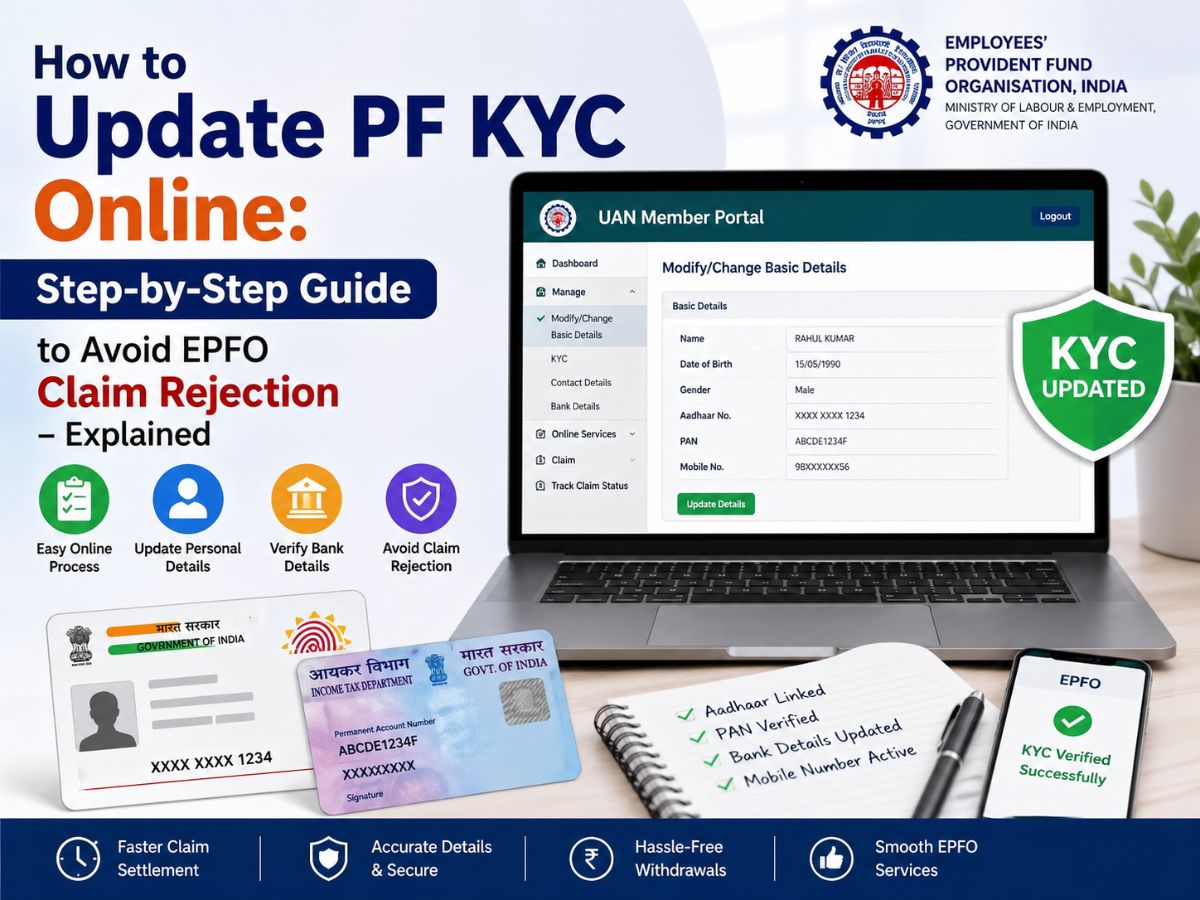
Update PF KYC Online: Step-by-step guide to updating PF KYC online through the UAN portal to ensure smooth verification and avoid EPFO claim rejection.
Updating your Provident Fund (PF) KYC details has become much easier in recent times. The Employees’ Provident Fund Organisation (EPFO) has made the entire process online, and members can update their important personal and bank details through the UAN Member Portal.
Previously, employees could only change their details through paperwork, employer verification and physical submissions. The process today is largely online, making it faster, more transparent and less dependent on manual intervention.
The primary aim of this digital transformation is to reduce delays and help avoid one of the most common problems faced by PF subscribers – claim rejection due to incorrect or mismatched details between EPF records and Aadhaar data.
Your PF account links to several identity databases like Aadhaar, PAN, and bank account details. EPFO verifies all withdrawal and transfer claims by matching these records with the UIDAI database.
Even a slight mismatch will get you rejected. For instance:
However, employees mostly learn about such errors when their PF withdrawal request is rejected, which leads to unnecessary delays and stress.
Update KYC details beforehand to make sure the following are true:
In conclusion, a correct updated KYC is a safety net for your hard-earned savings.
EPFO has simplified the process for correction. Here’s how to update your information:
Step 1: Log in to the UAN Member Portal using your UAN and password.
Step 2: Go to the ‘Manage’ section and click on ‘Modify/Change Basic Details’.
Step 3: Enter the correct details like name, date of birth and gender as per Aadhaar. The system will cross-verify the details with the UIDAI records automatically.
Step 4: Click on ‘Update Details’ to submit your request. The status will read as “Pending Employer Approval”
Step 5: Your employer will log on to approve your request. Once approved, the updated information will be reflected in your EPF account.
One of the major advantages of the EPFO system is that the bank details can be updated, usually without the approval of the employer, provided Aadhaar is already verified and linked.
You can refresh your bank account number, IFSC code, and bank branch details.
For this purpose, go to the KYC section on the UAN portal, choose the bank option and enter the new details. Once you verify the changes, they will directly reflect in your PF account.
To ensure a smooth and trouble-free process for your PF withdrawal or transfer, please make sure you meet the following conditions:
Your UAN is linked with Aadhaar.
PAN has been correctly verified and updated
The bank account is active and same as your EPF records
The mobile number linked to aadhaar is active for OTP verification
KYC documents are fully approved in EPFO system
EPFO now processes most of the claims electronically if KYC details are updated correctly.
Many PF claims get rejected due to avoidable errors. Some of the most common reasons include:
To ensure a smooth and trouble-free process for your PF withdrawal or transfer, please make sure you meet the following conditions:
Mismatch in Aadhaar & EPF details.
Incorrect bank account details or unverified
PAN not associated with UAN (TDS increased deduction)
UAN Not Active Or Not Verified
Pending or failure to receive employer approval
You can avoid most of these by ensuring your KYC is updated well in advance.
Your UAN is linked with Aadhaar.
PAN has been correctly verified and updated
The bank account is active and same as your EPF records
The mobile number linked to aadhaar is active for OTP verification
KYC documents are fully approved in EPFO system
EPFO now processes most of the claims electronically if KYC details are updated correctly.
To view the status of your KYC update, please visit: UAN Portal → Manage → KYC → KYC Approved Digitally
Earlier, PF details had to be rectified through joint declarations, and EPFO offices had to make the corrections. Today’s digital system corrects faster, settles claims quicker and has less paperwork. This change has boosted efficiency and made managing retirement savings easier for employees.
You must timely update and authenticate your PF KYC so as to prevent the rejection or delay of your EPFO claim. How to do it? Do the following:
Confirm your details like name, date of birth and mobile number
Rectify mismatch in your Aadhaar with EPFO records
Transfer claim funds seamlessly to your bank account and be tax compliant by linking your PAN.
Complete or update any pending KYC verification process. If necessary, get your employer verified.
By following these steps now, it will be easy to process and access your PF funds quickly and efficiently when you need them.
(Disclaimer: This article is intended for informational purposes only. Readers should verify all details on the official EPFO portal or consult their employer or a qualified financial advisor before taking any action.)
Priyanka Roshan is a business writer and assistant editor at the NewsX website who tracks everything from stock market swings and corporate earnings to personal finance trends and policy shifts. Known for turning fast-moving business developments into sharp, reader-friendly stories, she combines speed, accuracy, and a data-driven approach to break down complex financial news for everyday audiences.
With over 9.5 years of newsroom experience, Priyanka has worked with leading media organisations, including Moneycontrol, Times Now, and Ping Digital, covering diverse beats such as business, politics, technology, auto, travel, sports, and the world. From live breaking news desks to SEO-led digital storytelling, she specialises in creating engaging content that keeps readers informed without overwhelming them.
Why Did Actor-Politician Gautami Quit AIADMK?
Actor and politician Gautami Tadimalla has resigned from AIADMK, stepping away from her party post…
Tehran Casts Doubt On US-Iran Peace Deal After Israeli Strike In Beirut
Fresh Israeli strikes in Beirut have cast doubt over a proposed US-Iran peace deal, with…
Rebel TMC MPs Likely To Join Nationalist Citizens Party
TMC is facing a deep internal crisis as rebel MPs in Lok Sabha prepare to…