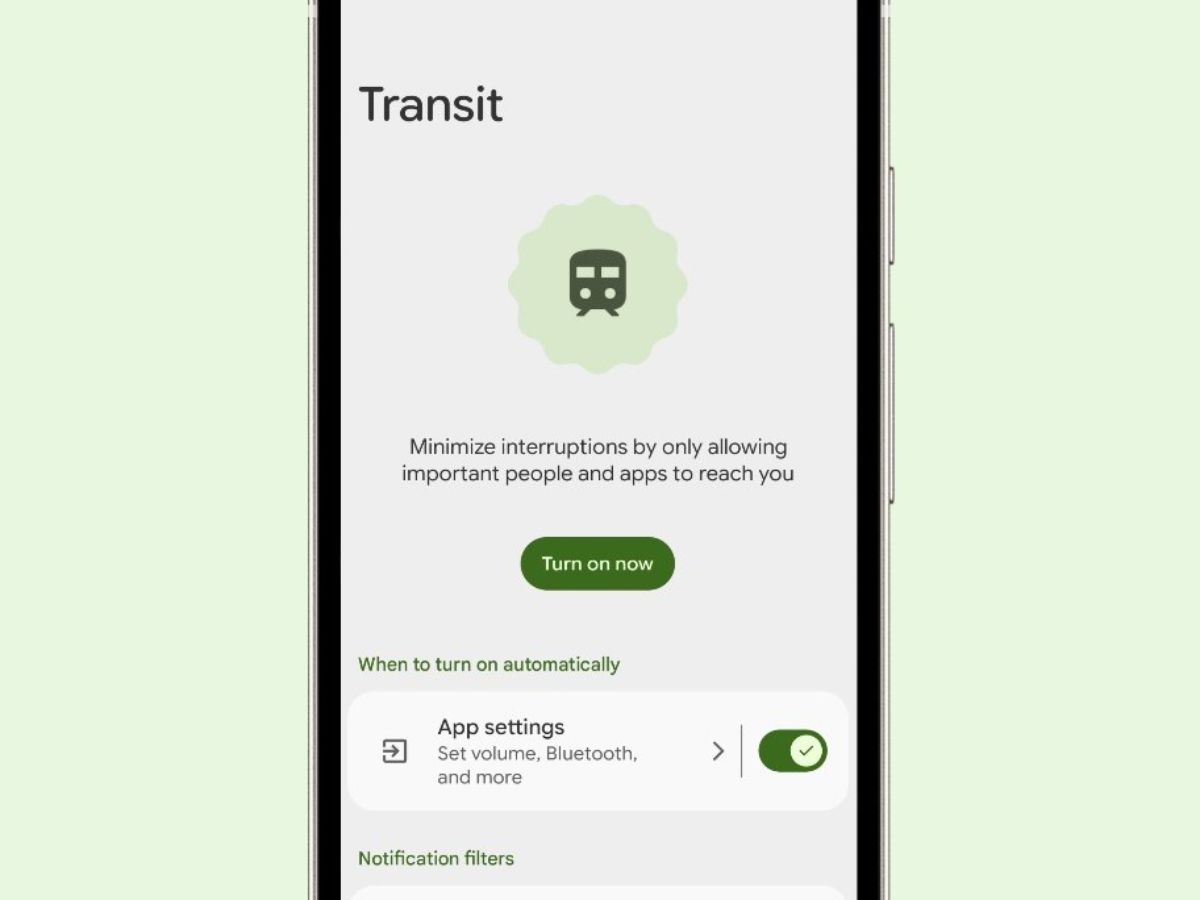

Google has rolled out its latest Google Pixel Transit Mode as part of the March 2026 Pixel Drop update, bringing smarter, more personalised commuting features to users.
The new mode is designed to simplify daily travel by combining real-time transit updates with automatic phone setting adjustments.
What is Google Pixel Transit Mode?
The Google Pixel Transit Mode is a new feature integrated into the Modes system on Pixel devices. It allows users to customise how their phone behaves while commuting, whether by train, bus, or other public transport.
Users can access the feature through Settings → Modes → Transit or via the Quick Settings panel. Once enabled, it automatically activates during commute hours, eliminating the need to manually tweak phone settings every day.
Google Pixel Transit Mode: Auto Settings for Hassle-Free Travel
Transit Mode intelligently adjusts key phone settings based on user preferences. These include:
-
Switching between sound, vibrate, or silent modes
-
Automatically turning on Bluetooth for headphones
-
Filtering notifications to allow only priority contacts and apps
-
Managing interruptions such as alarms, reminders, and media sounds
-
Adjusting display settings like grayscale or dark theme
This automation ensures a distraction-free and seamless commuting experience.
Google Pixel Transit Mode: Real-Time Updates on Lock Screen
One of the standout features of Google Pixel Transit Mode is its ability to deliver real-time commute updates directly on the lock screen and home screen through “At a Glance.”
Users can view:
-
Live departure timings
-
Delay alerts
-
Alternate routes
This means commuters can stay informed without opening navigation apps.
Google Pixel Transit Mode: Learns Your Routine Over Time
The feature uses location data via Google Maps Timeline to understand a user’s daily travel patterns. After setup, the system may take a few weeks to learn routines and start providing accurate, real-time updates.
Google Pixel Transit Mode: How to Set It Up
To enable full functionality, users need to:
-
Add home and work addresses
-
Grant background location access to Maps
-
Enable Timeline (location history)
Once configured, the feature works automatically without requiring any additional app downloads.
Smart Automation Meets Convenience
By combining automation with contextual awareness, Google Pixel Transit Mode turns smartphones into smart commute assistants. It reduces repetitive actions like switching settings or checking travel apps, making everyday travel more efficient.
Google Pixel Transit Mode: Privacy Considerations
Since the feature relies on location tracking and commute history, it raises some privacy concerns. However, it also offers enhanced convenience by delivering personalised and timely updates.
The Google Pixel Transit Mode is now rolling out globally and is available on Pixel 7 and newer devices running the latest update.
With Google Pixel Transit Mode, Google is pushing towards a more intuitive smartphone experience where devices adapt to user routines, reduce distractions, and provide real-time, relevant information during daily commutes.
Sofia Babu Chacko is a journalist with over five years of experience reporting on Indian politics, crime, human rights, gender issues, and stories about marginalized communities. She believes journalism plays a crucial role in amplifying unheard voices and bringing attention to issues that truly matter. Sofia has contributed articles to The New Indian Express, Youth Ki Awaaz, and Maktoob Media. She is also a recipient of the 2025 Laadli Media Awards for gender sensitivity. Beyond the newsroom, she is a music enthusiast who enjoys singing. Connect with Sofia on X: https://x.com/SBCism