

Capturing attention on social media today requires more than just a smartphone and a good idea. With algorithms favoring high-definition visuals and snappy storytelling, creators must leverage advanced AI tools to stay competitive. This guide breaks down the essential software you need to streamline your workflow and produce professional-grade content.
1. Video Material Editing
The first step in any successful social media strategy is ensuring your raw footage looks flawless and professional. High-quality visuals are non-negotiable for growth, yet many creators struggle with distracting elements or poor lighting in their original clips.
Core Issues
Low-resolution footage and intrusive branding are the primary killers of viral potential in the current digital landscape. Creators often deal with grainy “night mode” videos or the need to repurpose content that unfortunately contains unwanted logos or timestamps.
Tool 1: BeautyPlus
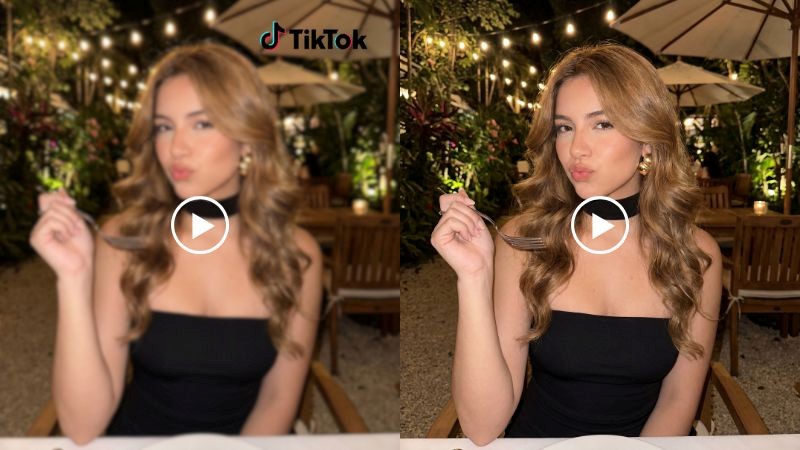
BeautyPlus has evolved into a powerhouse for creators, offering a specialized suite of web-based tools that handle the heavy lifting of post-production. You can easily remove watermark from video online without blur to reclaim your footage, or use the 4k video enhancer online free to transform fuzzy mobile clips into cinematic masterpieces.
It is arguably the best tool for quick fixes because it balances high-end AI reconstruction with an interface that requires zero technical expertise. Whether you are cleaning up a background or upscaling old memories, the results are consistently sharp.
Effectiveness: It delivers professional-grade clarity and object removal in seconds through a simple browser-based workflow.
Tool 2: Topaz Video AI
Topaz Video AI is a desktop-class software specifically designed for filmmakers and enthusiasts who need deep-level video restoration. It excels at complex tasks like motion deblurring, frame rate conversion, and cinematic upscaling.
This tool stands out as the best for high-end production because it uses neural networks trained specifically on video data to prevent artifacts. While it requires a powerful GPU to run smoothly, the level of detail it recovers from low-quality files is unmatched in the industry. It effectively “invents” missing pixels to create a natural, sharp look.
Effectiveness: Provides the most advanced technical upscaling and stabilization available for home computers.
2. Copywriting & Scripting
Even the best-looking video will fail if the message doesn’t resonate with the audience. In the age of short-form content, your hook and call-to-action must be written with surgical precision to prevent users from scrolling past.
Core Issues
Writer’s block and “stale” messaging often prevent creators from posting consistently across multiple platforms. Generating a script that sounds human while optimized for engagement algorithms is a constant challenge for solo creators.
Tool 1: Jasper AI
Jasper AI is a sophisticated writing assistant that specializes in brand-specific marketing copy and structured video scripts. It allows you to input your specific brand voice so that every YouTube description or TikTok script feels authentic to your persona.
It is the best tool for professional teams because it offers over 50 templates that can turn a simple idea into a full-length video treatment in minutes. The integration of SEO tools ensures your video captions are actually discoverable by search engines.
Effectiveness: Significantly reduces the time spent on drafts while maintaining a high standard of persuasive language.
Tool 2: Copy.ai
Copy.ai focuses on high-speed content generation for social media managers and small business owners. It is particularly adept at creating punchy headlines, captions, and “hook” ideas that are designed to stop the thumb-scroll.
This is the best tool for rapid-fire brainstorming because its interface is incredibly intuitive and optimized for short-form copy. It supports the AIDA and PAS marketing frameworks, ensuring your video scripts are built on proven psychological triggers. Users love how it can generate dozens of variations for a single caption within seconds.
Effectiveness: Excellent for overcoming creative blocks and generating high-volume social media captions.
3. Video Editing
The editing phase is where the “magic” happens, turning raw clips into a cohesive story. Modern social media demands fast-paced cuts, captions, and trending effects that can be difficult to execute in traditional software.
Core Issues
Manual editing is incredibly time-consuming, often taking hours to edit a single 60-second clip for different platforms. Additionally, many creators lack the technical skills to add dynamic subtitles or sync transitions to the beat of a song.
Tool 1: Vizard.ai
Vizard.ai is an AI-powered editor designed specifically to repurpose long-form content, such as podcasts or webinars, into “viral-ready” shorts. It automatically identifies the most interesting segments and crops them for vertical viewing.
It ranks as a top-tier tool because its AI “eye” can detect speakers and keep them centered without manual keyframing. This allows creators to generate a week’s worth of content from a single long video in just one click.
Effectiveness: Dramatically speeds up the repurposing process for creators who prioritize short-form growth.
Tool 2: CapCut
CapCut has become the gold standard for mobile and desktop social media editing due to its direct integration with trending sounds and templates. It offers a massive library of free effects, transitions, and auto-captioning features that give videos a “native” social media feel.
It is the best tool for creators because it combines professional features like chroma key and speed ramping with a user-friendly drag-and-drop system. The vast library of community-made templates means you can jump on a trend within minutes of it going viral. Its cloud synchronization allows for seamless editing between a phone and a computer.
Effectiveness: The most versatile and trendy editor for making content that feels “at home” on TikTok and Reels.
4. Voiceover & Dubbing
Audio quality is just as important as video quality; in fact, users are more likely to click away from a video with poor audio than one with poor video. AI voice tools now allow for professional narration without the need for expensive microphones.
Core Issues
Recording clean audio requires a quiet environment and professional equipment, which many creators don’t have. Furthermore, reaching a global audience is difficult if your content is only available in one language.
Tool 1: ElevenLabs
ElevenLabs is the industry leader in AI speech synthesis, offering voices that are virtually indistinguishable from human speakers. It uses deep learning to capture the nuances of emotion, pacing, and accent.
It is the best tool for faceless channels and narrations because its “Speech-to-Speech” feature allows you to guide the AI’s performance with your own voice. The realism it provides eliminates the “robotic” feel that plagued early AI voiceovers.
Effectiveness: Creates the most lifelike and emotionally resonant AI voices currently available.
Tool 2: HeyGen
HeyGen is a specialized video platform that focuses on AI avatars and sophisticated video translation. It can take a video of you speaking and dub it into another language while simultaneously adjusting your lip movements to match the new audio.
It stands out as the best tool for global scaling because it breaks down the language barrier for creators looking to enter international markets. The avatar quality is best-in-class, allowing for the creation of spokesperson videos without ever stepping in front of a camera. It is a game-changer for corporate training and global marketing campaigns.
Effectiveness: Provides seamless video localization and high-fidelity avatar generation for professional use.
Conclusion
The landscape of social media video in 2026 is defined by efficiency and high-quality AI integration. By combining the upscaling power of BeautyPlus with the scripting of Jasper and the editing ease of CapCut, you can produce a year’s worth of content in a fraction of the time. Choosing the right tool depends on your specific needs—whether it’s removing a logo or reaching a global audience—but this toolkit ensures you stay ahead of the curve.




