

iPhone 17 Launch: Still holding on to that phone with the broken screen and a battery that dies by lunchtime? Don’t toss it- ‘trade it’!
Apple’s Trade In program can turn your old iPhone into instant credit toward the shiny new iPhone 17. Seriously. Even if your phone has seen better days (and too many drops), it might still be worth something.
Here’s how it works: Apple gives you a trade-in estimate based on your phone’s model and condition. If you like the value, you can apply it as a discount at checkout when buying your new iPhone. Just like that, your upgrade gets more affordable.
And if your device is too old to fetch any money?
No worries- Apple will recycle it for free.
Bonus: You can even trade in eligible Samsung or Google phones. So before that old iPhone becomes a glorified paperweight, check its trade-in value. You might be just a few taps away from holding the iPhone 17 in your hand!
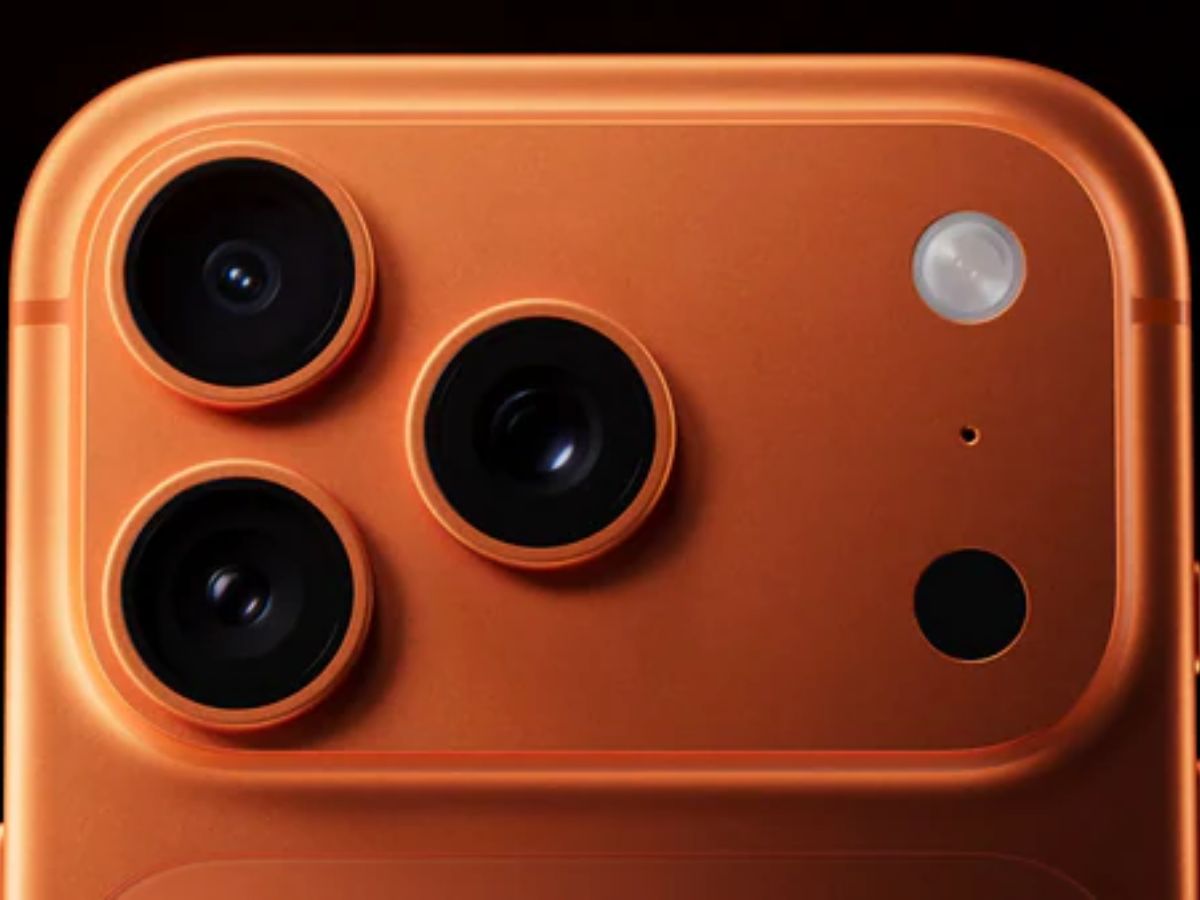
Just to know here is what the new iPhone 17 looks like-
The wait is over. Introducing the new iPhone 17 Pro, iPhone Air, iPhone 17, Apple Watch Ultra 3, Apple Watch Series 11, Apple Watch SE 3, AirPods Pro 3, and more.
— Apple (@Apple) September 9, 2025
iPhone 17 Launch: Why Trade In Your Old iPhone?
Here Is The Reason Why It Is Well Worth It-
There are some very cool things about trading your old phone. First, it assists in reducing the price of your brand-new iPhone- who does not love a discount? Second, it helps the planet a lot since your outdated gadget is recycled correctly rather than collecting dust or ending up in the garbage.
It’s also super convenient! You can sell it online from the comfort of your couch or visit an Apple Store- whichever is convenient for you.
And guess what? It’s not just for iPhones. You are also able to trade in select Samsung and Google phones. Simple, clever, and completely worth it.
Step-by-Step: How To Trade In Your Old iPhone For A New One
Step 1: Prepare Your iPhone For Trade-In
Before trading in, make sure your data is safe and your iPhone is clean:
- Back up your data
- Use iCloud or connect to a Mac (Finder) or Windows PC (iTunes)
- Settings > [Your Name] > iCloud > iCloud Backup > Back Up Now
- Unpair your Apple Watch
- Open the Watch app > My Watch > All Watches > Info > Unpair Apple Watch
- Sign out of iCloud and Apple ID
- Settings > [Your Name] > Scroll down > Sign Out
- Erase all content and settings
- Settings > General > Transfer or Reset iPhone > Erase All Content and Settings
- Remove your SIM card
- Eject the physical SIM if your device has one.
Step 2: Get A Trade-In Estimate
- Online Option:
- Go to the Apple Trade In page.
- Select your iPhone model and answer condition-related questions.
- Receive an estimated trade-in value applied instantly during checkout.
- In-Store Option:
- Visit your nearest Apple Store.
- An Apple Specialist will inspect your phone and give you an on-the-spot trade-in value.
Step 3: Complete the Trade-In
- For Online Orders:
- Choose your new iPhone and apply the trade-in during checkout.
- A courier delivers the new device and collects the old one.
- Courier verifies condition; if it matches, they take the old iPhone and you’re done.
- For In-Store Orders:
- Bring your prepared iPhone to an Apple Store.
- Get a final valuation after inspection.
- Apply the credit to your new iPhone instantly.
What to Know Before You Trade In Your Old iPhone?
Here are a few things you should remember before bidding adieu to your old iPhone. First- your trade-in value can change. If your phone happens to be in worse condition than you described (think deep scratches, battery problems, or a broken screen), Apple can reduce the value. You will always have the option to accept the new offer or simply keep your phone.
It only has to be the phone, you don’t need to include the box, charger, or even the case. Just send in the phone itself.
And a nice bonus: even if your phone is so old or damaged that it’s no longer useful, Apple will recycle it at no cost to you. No stress, no waste.
Whether your iPhone is lightly used or barely hanging on, there’s a way to make it count. Check that value, then chuck it out!
(With Inputs From Apple Website)
Also Read: When Will iPhone 17 Be Available To Buy In Stores In India? You Can Pre-Order
Aishwarya is a journalism graduate with over three years of experience thriving in the buzzing corporate media world. She’s got a knack for decoding business news, tracking the twists and turns of the stock market, covering the masala of the entertainment world, and sometimes her stories come with just the right sprinkle of political commentary. She has worked with several organizations, interned at ZEE and gained professional skills at TV9 and News24, And now is learning and writing at NewsX, she’s no stranger to the newsroom hustle. Her storytelling style is fast-paced, creative, and perfectly tailored to connect with both the platform and its audience. Moto: Approaching every story from the reader’s point of view, backing up her insights with solid facts.
Always bold with her opinions, she also never misses the chance to weave in expert voices, keeping things balanced and insightful. In short, Aishwarya brings a fresh, sharp, and fact-driven voice to every story she touches.




