
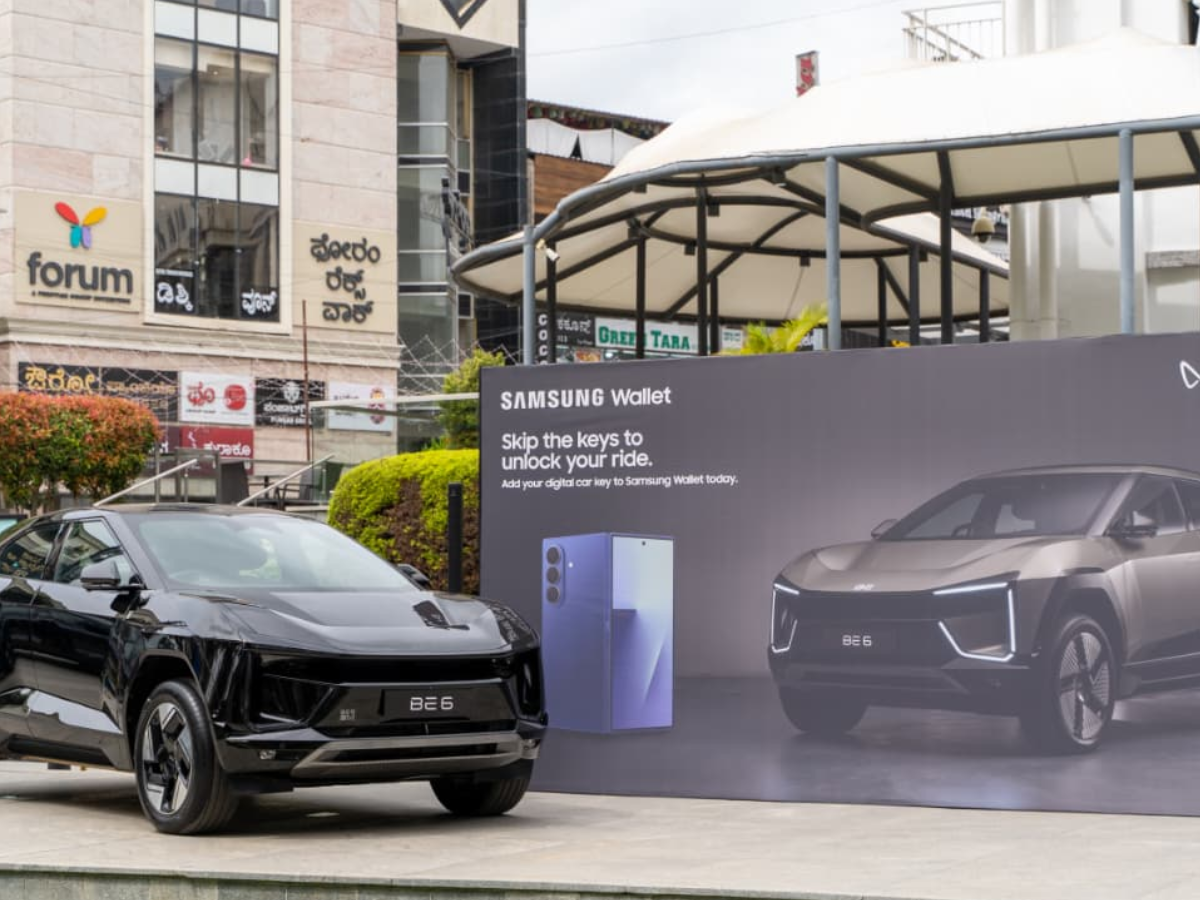

If you bored by caring your car keys or you keep forgetting it so now you don’t need to carry a physical car key if you have a Samsung phone and you drive a Mahindra e-SUV. Samsung is going to now allow its users to unlock their Mahindra electric SUVs in India directly from their Samsung smartphones using a new Digital Key feature in Samsung Wallet. The South Korean tech giant announced this during an event on Wednesday, November 19. Through this feature, users can share their car keys to their Mahindra EVs for a limited period, giving friends and family access to the e-SUV, which will eliminate the need for a physical car key.
This feature will be available in India after the launch of the Mahindra BE 6 and XUV.e9 range of electric vehicles in the country.
Moments from Samsung Opera House, Bengaluru — marking the reveal of the Digital Car Key, accessible via Samsung Wallet.
Unlock, lock, and start your drive with just your smartphone.Coming soon, more details to follow!#UnlimitLove #UnlimitIndia #UnlimitExperience… pic.twitter.com/tSCx8U7TEt
— Mahindra Electric Origin SUVs (@mahindraesuvs) October 29, 2025
How to Create a Digital Car Key for a Mahindra eSUV
Samsung will soon add the Digital Car Key feature to the Samsung Wallet app for users in India. In the initial phase, the Digital Car Key feature will be compatible with select Mahindra Electric SUVs. The digital car feature was showcased by Samsung on the Mahindra BE 6 during an event in Bengaluru.
Through the Digital Key, you can lock, unlock your car, and even use the digital key to start your e-SUV using a paired Samsung Galaxy device. The feature will allow users to share their digital key with their friends and family for a limited period of time. Their access to the vehicle can be managed through the Samsung Wallet app.
If your phone with the Digital Key is lost or misplaced, users can remotely lock their phones, delete their data, and the Digital Car Key using the Samsung Find service. For security, you can lock the Samsung Wallet with biometric or PIN-based user authentication support.
Samsung recently updated its Wallet app, after which users can track live activities like flights, trains, and events. As per reports, users can choose to pin the status of a flight or train on top of the screen next to the time.
Syed Ziyauddin is a media and international relations enthusiast with a strong academic and professional foundation. He holds a Bachelor’s degree in Mass Media from Jamia Millia Islamia and a Master’s in International Relations (West Asia) from the same institution.
He has work with organizations like ANN Media, TV9 Bharatvarsh, NDTV and Centre for Discourse, Fusion, and Analysis (CDFA) his core interest includes Tech, Auto and global affairs.
Tweets @ZiyaIbnHameed




