Chinese smartphone company Oppo is gearing up for a mid-cycle upgrade, ColorOS 16.1, which has just started rolling out to initial devices. It’s still based on Android 16, but there are a host of visual changes, AI-powered features, and enhancements that make it feel more than an incremental upgrade.
OxygenOS 16.1 Supported Devices
The company has currently rolled out the latest ColorOS 16.1 update to Oppo Find X9 series smartphones with expansion to the Reno 15 series, and the Find X8 lineup is also expected to get the upgrade soon. The upcoming Oppo Find X9s and Find X9 Ultra will have the latest software out of the box.
The company has not officially announced the global roll out schedule for ColorOS 16.1. The roll out schedule for China has already been released which suggests that the update will only be released for selected devices, particularly for recent flagship phones and select mid-range handsets.
OxygenOS 16.1 Key Updates
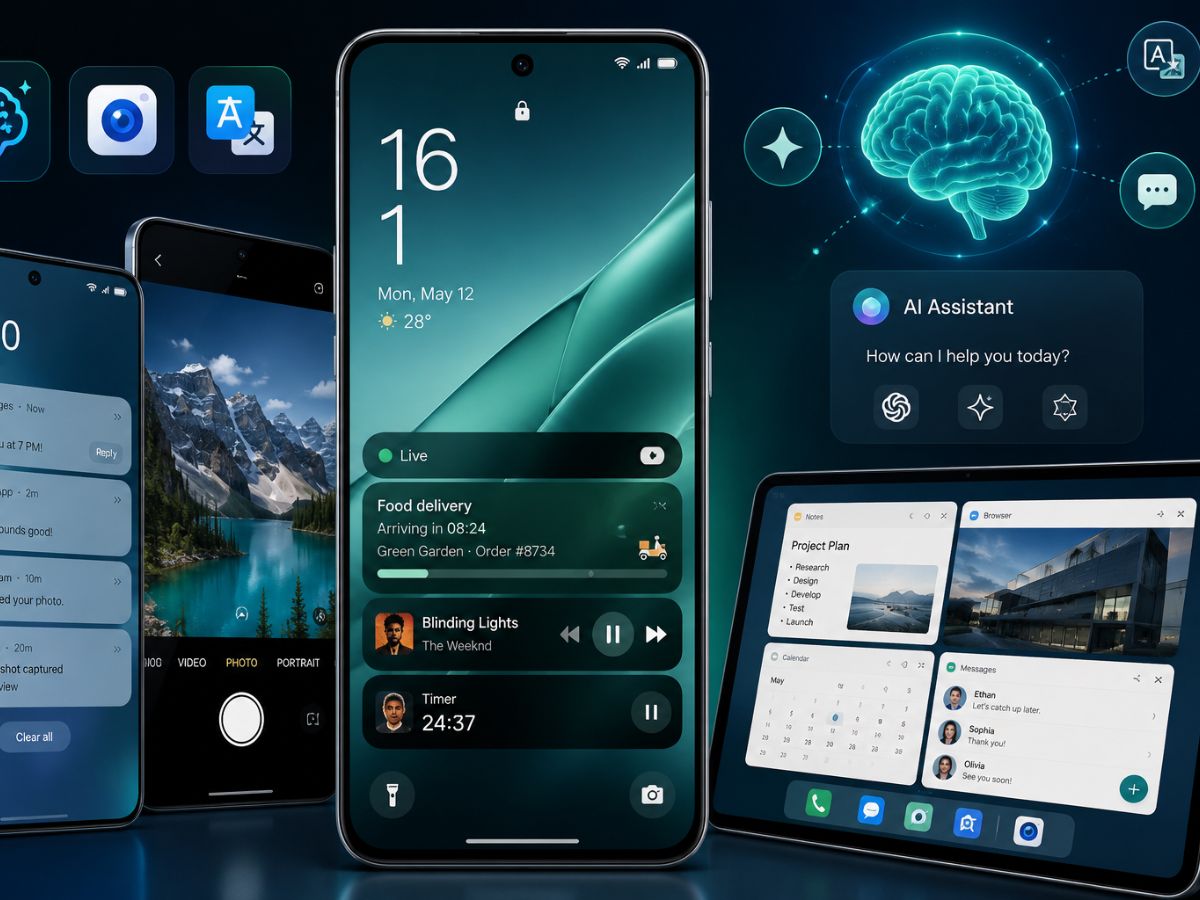
The key upgrade in the ColorOS 16.1 is the new Live Space. This is company’s new live activity system that appears around the lock screen, where ongoing activities like timers, music playback, food delivery tracking, and notifications now appear inside expandable capsule-style cards at the bottom of the lock screen. It looks quite similar to Samsung’s Now Bar, and users can expand it with a tap or swipe between different live activities. It is a handy change that lets you check what is going on without unlocking the phone every single time.
Apart from the lock screen, the update also brings a cleaner notification system. The company is improving notifications with a stacked layout and quick replies, making it easier to respond to messages without opening the app. The camera app has also received a simpler layout so users can jump in and take photos faster.
OxygenOS 16.1 AI Features
ColorOS 16.1 is not just about looks. Chinese tech manufacturer has packed in some genuinely useful AI-powered tools that could change how people use their phones every day. Mindspace now consists of a new AI assistant called MindPilot, which supports ChatGPT, Gemini, and Perplexity models directly inside the app. Users can talk to it conversationally, ask questions, and use it alongside saved Mindspace content and integrations.
Another handy addition is the AI Menu Translation feature. The feature scans menus and foreign language text directly through the camera and translates them instantly. It can also identify prices and convert currencies during travel, and offline translation support is available after downloading language packs. For anyone who travels frequently, this is a genuinely practical tool to build right into the phone.
In terms of multitasking, the ColorOS 16.1 update brings seamless multitasking for tablets, letting users have up to 5 active windows at once and switch between them quickly, with apps that resize and snap instantly for a more productive and desktop-like experience.
The animations across the entire system have also been improved. Floating windows now animate far more naturally while dragging, resizing, or switching to full screen, and scrolling inside apps feels more refined, with even the smallest system interactions having a polished, bouncy animation style that makes the entire UI feel more alive.
The global rollout schedule is expected to follow shortly after the China rollout wraps up. Oppo users outside China should keep an eye on the official ColorOS page and their device’s software update settings for when the update arrives.
Syed Ziyauddin is a media and international relations enthusiast with a strong academic and professional foundation. He holds a Bachelor’s degree in Mass Media from Jamia Millia Islamia and a Master’s in International Relations (West Asia) from the same institution.
He has work with organizations like ANN Media, TV9 Bharatvarsh, NDTV and Centre for Discourse, Fusion, and Analysis (CDFA) his core interest includes Tech, Auto and global affairs.
Tweets @ZiyaIbnHameed